
AWSCost · the browser extension
The price sits on the row you are already looking at.
The EC2 instances list tells you the type, the state and the availability zone. It does not tell you what any of it costs. This puts a monthly price on every row, and a total for the page.
It reads the table your browser has already drawn and never touches your AWS account. There is nothing to sign in to and no key to paste.
Free. Firefox 140 and Chrome 110 or newer, on desktop.
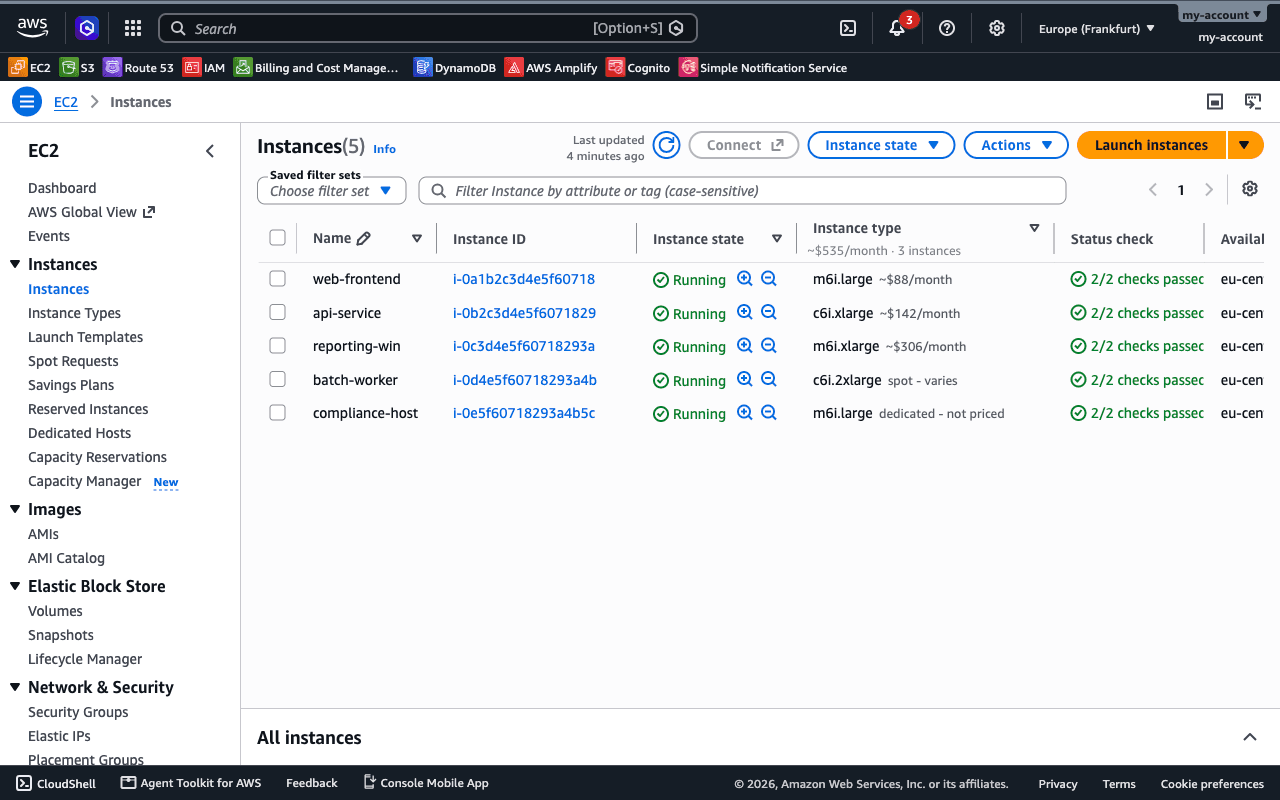
What the price covers
Compute and the public IPv4 address, at AWS’s on-demand list price, running the whole month. It follows the exact operating system and licence of the instance, so a Windows instance gets the Windows rate.
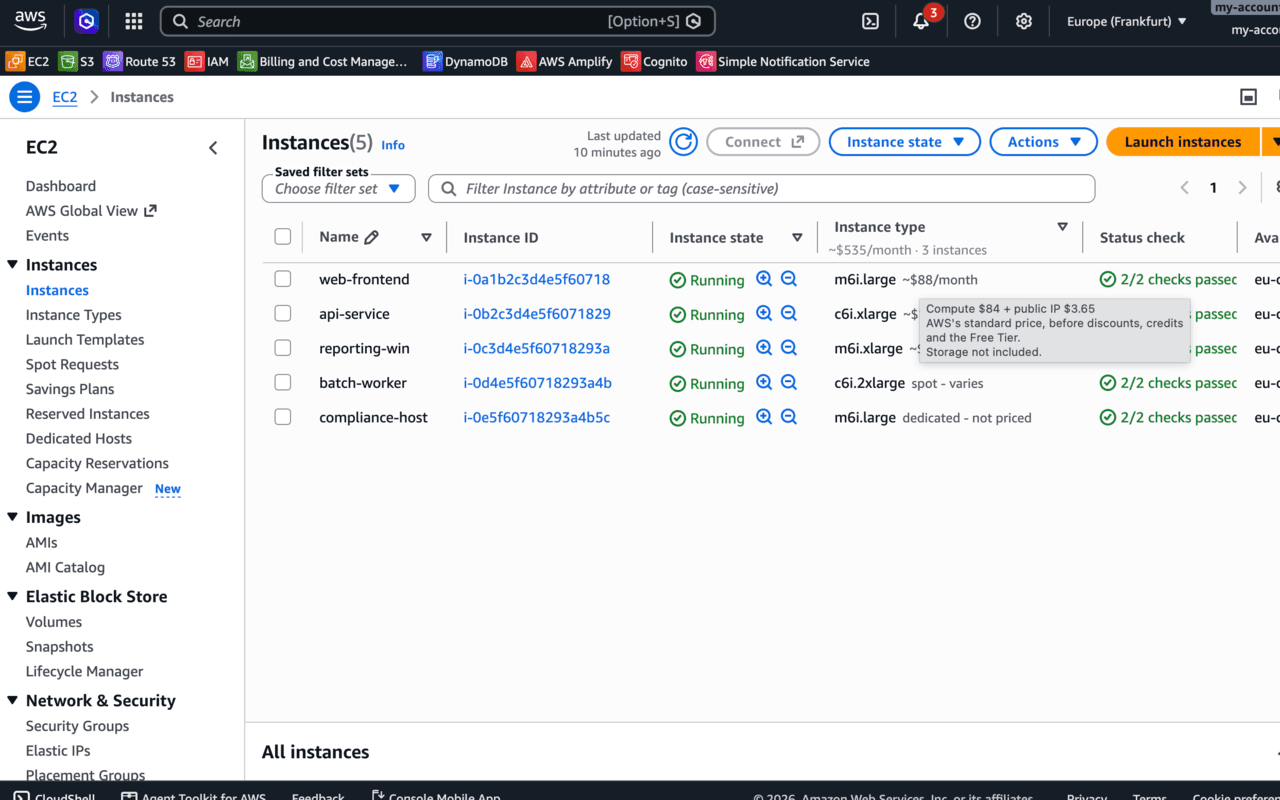
Storage, data transfer, Savings Plans, Reserved Instances, discounts and the Free Tier are all outside it. Your bill can be lower than what you see here, and it is never presented as your price.
Where the numbers come from
AWS publishes its price list. AWSCost rebuilds it daily into one file per region, and your browser downloads the file for the region you are viewing. Nothing is priced by guesswork and nothing is calculated on a server.
If that file is more than three days old, every price carries an asterisk. A stale price is a wrong price, and it should say so rather than look confident.
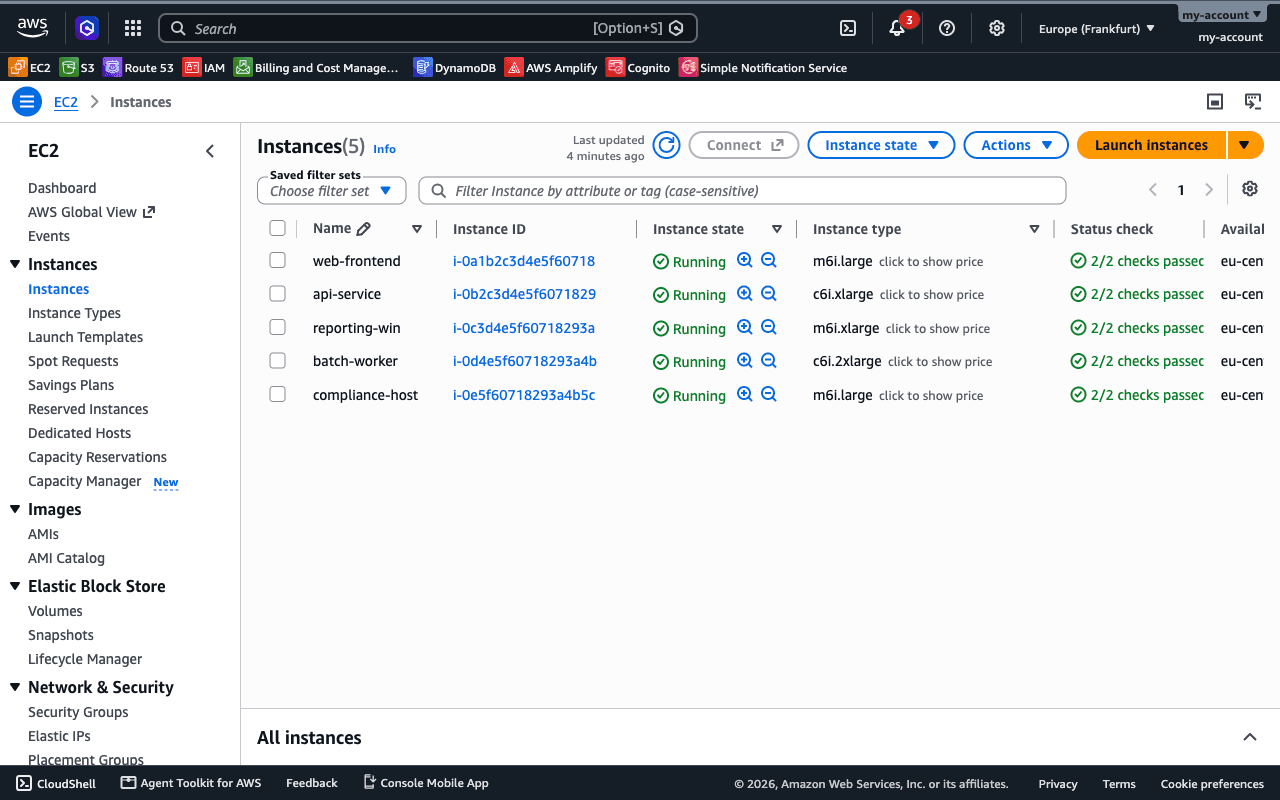
The first thing you will see
Rows start out saying click to show price rather than showing one. Pricing an instance exactly needs columns the console hides by default, and turning them on changes your settings, so it waits for you to ask.
Clicking opens the table’s own preferences panel and switches those columns on. Nothing else in your console changes.
What it sends
One request a day, for the price file, carrying the region you are looking at and the version you have installed. Nothing about it is recorded – no address, no identifier, no log of who asked.
The table it reads never leaves your browser, and neither does the price list it downloads. The full policy says the same thing at length.
Where it works
- The EC2 instances list, and nowhere else in the console.
- Every standard AWS region. GovCloud and China are not covered.
- An English console, on desktop Firefox or Chrome.
Frequently asked questions
Does the extension need my AWS credentials?
+
No. It reads the instance table already rendered in your browser and never signs in, never holds a key and never calls the AWS API. There is no account to make and nothing to connect.
Is the price shown what I will actually pay?
+
No, and the extension says so on every hover. It shows AWS's standard on-demand price before discounts, credits, Savings Plans, Reserved Instances and the Free Tier, so your bill is usually lower.
Why do the rows say "click to show price" at first?
+
Pricing an instance exactly needs columns the EC2 console hides by default, such as usage operation and tenancy. Clicking opens the table's own preferences panel and switches them on. It changes your settings, so it never happens without that click.
Where does the price data come from?
+
AWS's own public price list, rebuilt daily into one file per region. Your browser downloads the file for the region you are viewing once a day. If it is more than three days old, every price is marked with an asterisk rather than quietly going stale.
What does it cost?
+
Nothing. It is free, it shows no ads and it sells nothing.
The extension prices what is in front of you. The thing costing you money is usually what nobody is looking at – the volume attached to nothing, the load balancer with no targets, the log group kept forever.
Connect read-only and the scan finds those, in real dollars, before you pay anything.
What the scan looks for · What we store
AWSCost is not affiliated with Amazon Web Services.